AI Automation for Solopreneurs: The Complete 2026 Guide
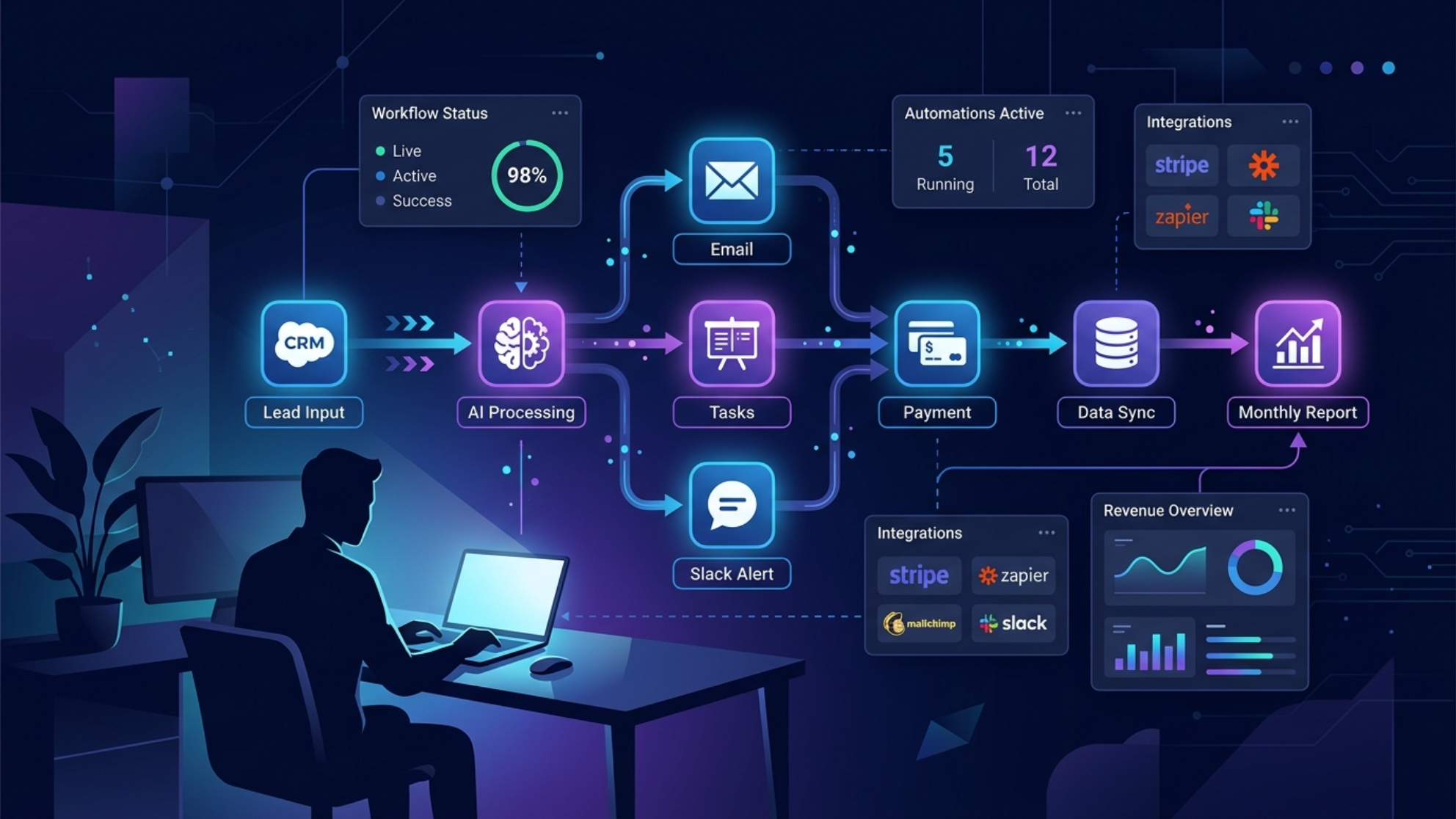
Most solopreneurs who try automation quit after the first workflow breaks. They spend a weekend building something in Zapier or Make, it fails silently two weeks later, and they go back to doing everything manually. The problem is rarely the tool — it is the approach.
Quick Take: AI automation for solopreneurs is not about replacing everything you do. It is about identifying the three to five repetitive tasks that consume disproportionate time and building reliable systems around them. Start small, make it robust, then expand.
In This Guide
— Why Most Automation Attempts Fail
— The Solopreneur Automation Stack
— Where AI Changes the Automation Equation
— The Five Workflows Worth Automating First
— How to Build Automations That Stay Stable
— FAQs
This page is the reference hub for AI automation on SimonValue — covering the tools, the frameworks, and the workflows that actually work for one-person online businesses.
Why Most Automation Attempts Fail
The failure pattern is predictable. Someone discovers automation tools, gets excited, and tries to automate everything at once. They build a complex multi-step workflow that depends on five different services. One API changes, one service goes down, and the whole thing breaks. They spend more time debugging than they saved automating.
The operators who succeed with automation think differently. They start with one workflow, make it bulletproof, document it, and only then move to the next. They build for failure — every workflow has error handling, notifications when something breaks, and a manual fallback.
Reliability beats complexity every time. A simple workflow that runs every day without supervision is worth ten clever workflows that need constant attention.
The Solopreneur Automation Stack
n8n is the platform I use and recommend for solopreneurs who want maximum flexibility at minimal cost. Self-hosted on a $5/month VPS, it gives you unlimited workflows, full control over your data, and access to hundreds of integrations. The learning curve is real but manageable — most people are building functional workflows within a week. A practical guide to getting started is covered in n8n for Beginners: Build Your First Automation.
Make is the better starting point if self-hosting feels like too much friction. The visual workflow builder is intuitive, the free tier is generous, and the community is large enough that most problems have documented solutions. For a direct comparison of all three platforms, see Make vs n8n vs Zapier for Solopreneurs 2026.
Zapier is the most beginner-friendly option but the most expensive at scale. For simple two-step automations connecting mainstream tools, it works well. For anything complex, the cost grows quickly and the limitations become frustrating.
Claude and GPT APIs are what transform basic automation into intelligent automation. A workflow that triggers, processes data, and sends a formatted output is useful. A workflow that triggers, processes data, runs it through an AI model for analysis or generation, and then acts on the result is a different category of leverage entirely. How to wire Claude directly into an automation workflow is covered in Claude API Automation for Solo Content Creators.
Where AI Changes the Automation Equation
Traditional automation is rules-based. If X happens, do Y. This works well for predictable, structured tasks — moving files, sending notifications, updating spreadsheets.
AI-augmented automation handles unstructured inputs. It can read an email and decide how to categorize it. It can take a rough idea and turn it into a formatted draft. It can analyze a set of data points and produce a summary with recommendations. The trigger is the same, but the processing step is now intelligent rather than mechanical. A full breakdown of how to add AI to existing workflows without rebuilding them is covered in AI-Augmented Automation Workflows Guide.
For solopreneurs, this unlocks workflows that were previously only possible with a team. A content pipeline that goes from RSS feed to drafted article to Telegram review to published post — running automatically five days a week — is a real example of what AI automation makes possible at the individual level. The practical architecture for building this kind of pipeline is covered in Build an Automated AI Content Pipeline in 2026.
The Five Workflows Worth Automating First
Content publishing. The process of drafting, formatting, optimizing, and publishing content is highly repetitive and time-consuming. An AI-augmented workflow can handle the majority of this pipeline with human review at key checkpoints.
Email sequences. Welcome sequences, nurture sequences, and broadcast emails follow predictable patterns. Automating the trigger logic and personalizing with AI reduces the manual work significantly. A practical guide to building AI-assisted email sequences is covered in Automate Email Sequences With AI for Solopreneurs.
Research and monitoring. Tracking competitors, monitoring industry news, aggregating RSS feeds, and summarizing relevant developments can all be automated. The output is a daily or weekly digest delivered to your inbox or messaging app.
Lead capture and follow-up. From form submission to CRM entry to follow-up email, this workflow is entirely automatable. Adding an AI step to personalize the follow-up based on the lead's input significantly improves conversion. The full system architecture is covered in Automate Lead Capture and Follow-Up With AI.
Reporting and analytics. Pulling data from multiple sources — traffic, revenue, email metrics — and consolidating it into a weekly summary is a high-value automation that most solopreneurs never build because it feels too technical. It is not.
How to Build Automations That Stay Stable
Stability comes from a few non-negotiable practices. First, always add error handling. Every workflow should have a failure path that sends you a notification — via Telegram, email, or Slack — when something breaks. Silent failures are the most dangerous kind. A practical guide to building robust error handling in n8n is covered in n8n Error Handling for Production Workflows.
Second, avoid chaining too many dependencies. Every external service in a workflow is a potential point of failure. Three services in a chain is manageable. Seven is fragile.
Third, test with real data before activating. Most automation failures happen because the builder tested with clean, predictable data and the real world sent something unexpected — an empty field, a character encoding issue, a slightly different API response format.
Fourth, document every workflow. A simple note explaining what the workflow does, what triggers it, and what to check when it breaks saves hours when something goes wrong three months later.
Frequently Asked Questions
Do I need coding skills to automate my business as a solopreneur?
Not for most workflows. Make and Zapier require no coding. n8n has a visual builder that handles most use cases without code. JavaScript knowledge helps for advanced logic, but the majority of valuable automations are buildable without it.
What is the difference between n8n, Make, and Zapier?
n8n is open-source and self-hostable — maximum flexibility, minimal cost, steeper learning curve. Make is cloud-based with a strong visual builder and a generous free tier. Zapier is the most beginner-friendly but the most expensive at scale. For solopreneurs building serious automation infrastructure, n8n is the long-term winner. A full cost and feature breakdown is in Make vs n8n vs Zapier for Solopreneurs 2026.
How long does it take to build a useful automation workflow?
A simple two or three step workflow takes one to two hours including testing. A complex AI-augmented pipeline like a content automation system takes a weekend to build and another week to stabilize. The investment pays back quickly for any workflow that runs daily.
What happens when an automation breaks?
If you have built it correctly, you get a notification. If you have not, it fails silently and you notice days later when the expected output has not appeared. Always build error notifications into every workflow from the start.
Is it worth self-hosting n8n vs using the cloud version?
For solopreneurs running more than five to ten workflows, self-hosting on a $5/month VPS is almost always worth it. The cloud version has execution limits that become restrictive quickly. Self-hosting requires a few hours of initial setup but gives you unlimited executions and full data control.
Automation is not about removing yourself from your business. It is about removing yourself from the parts of your business that do not require you.
Stay in the Loop
Every week I share AI tools, automation workflows and online business opportunities worth paying attention to — tested in real workflows, filtered for what actually works. No hype, no filler.